Snom D735
Call Forwarding
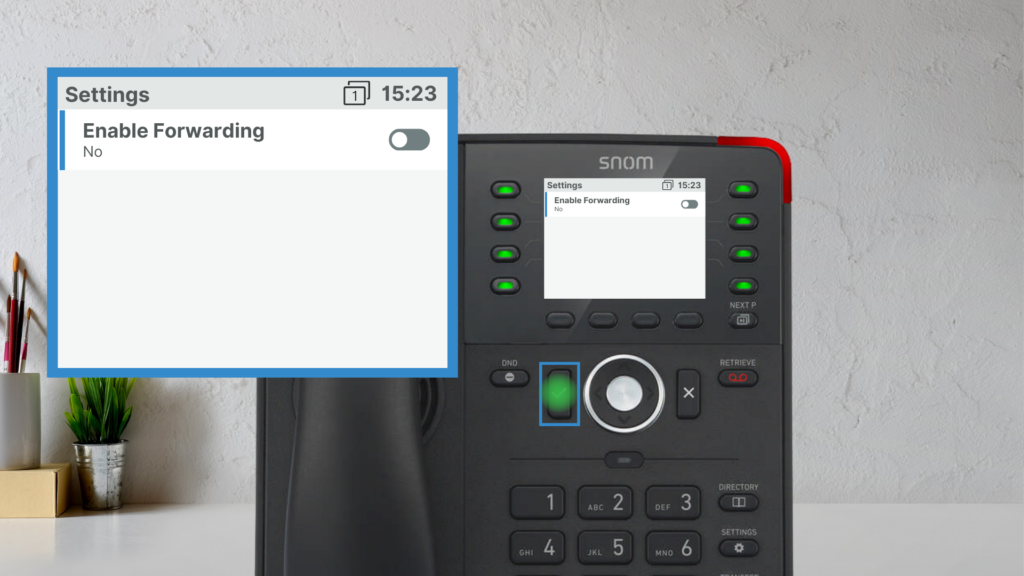
To activate Call Forwarding:
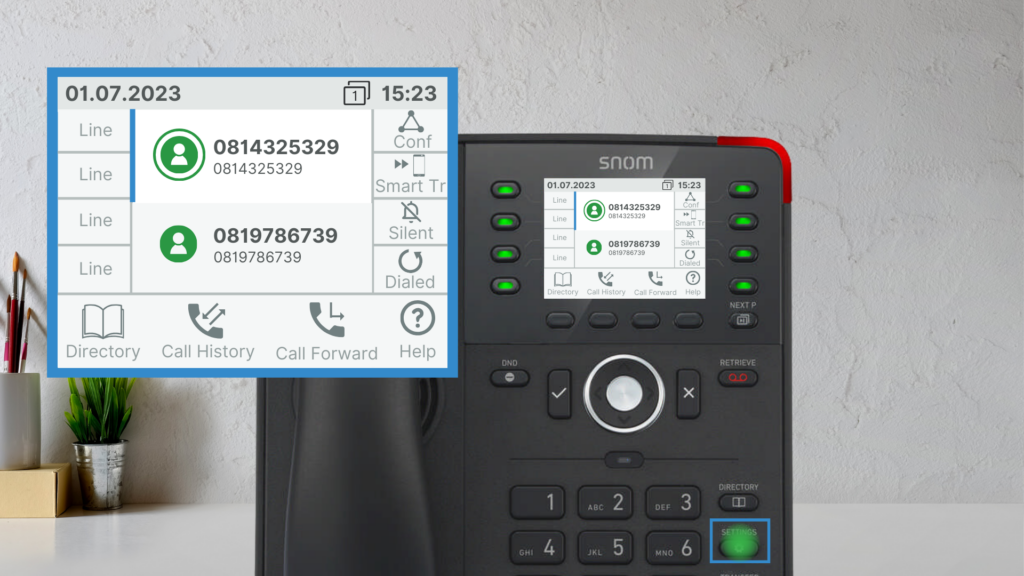
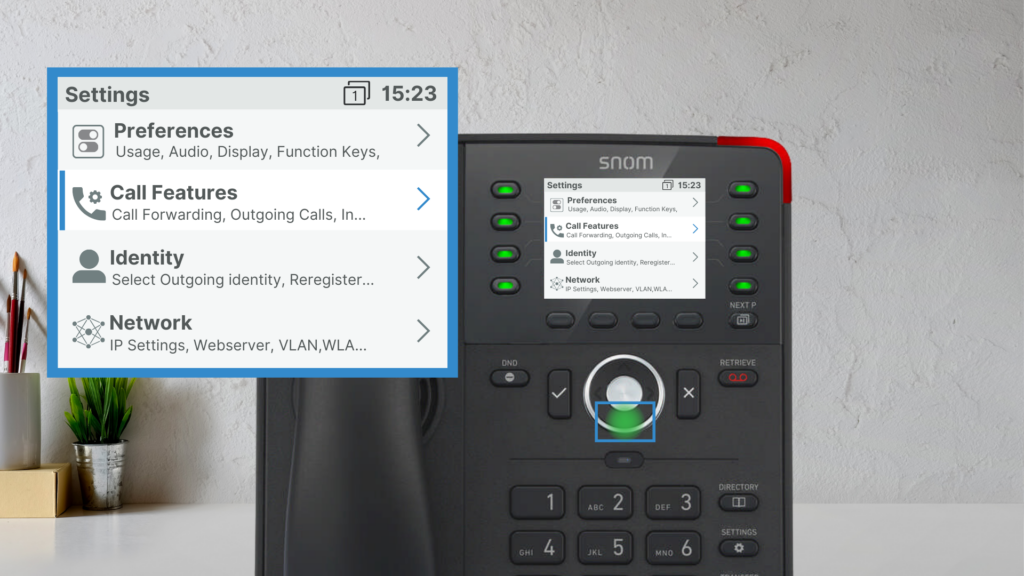
1. Go to Settings > Call Features > Call Forwarding.
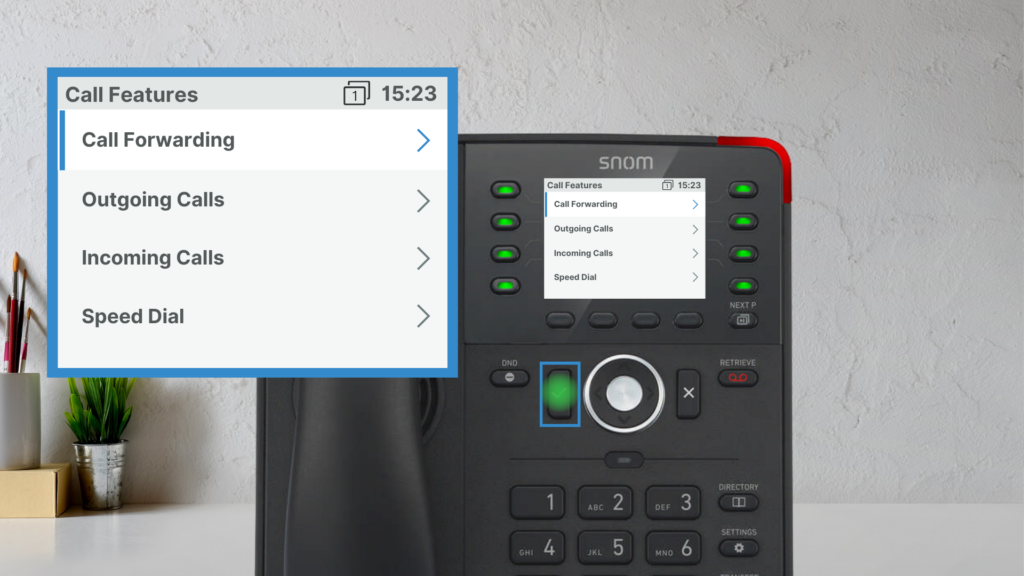
2. Choose:
- Forward All – Forwards all calls.
- Forward When Busy – Sends calls to another number when you’re on a call.
- Forward After Timeout – Redirects calls after ringing for a set period.
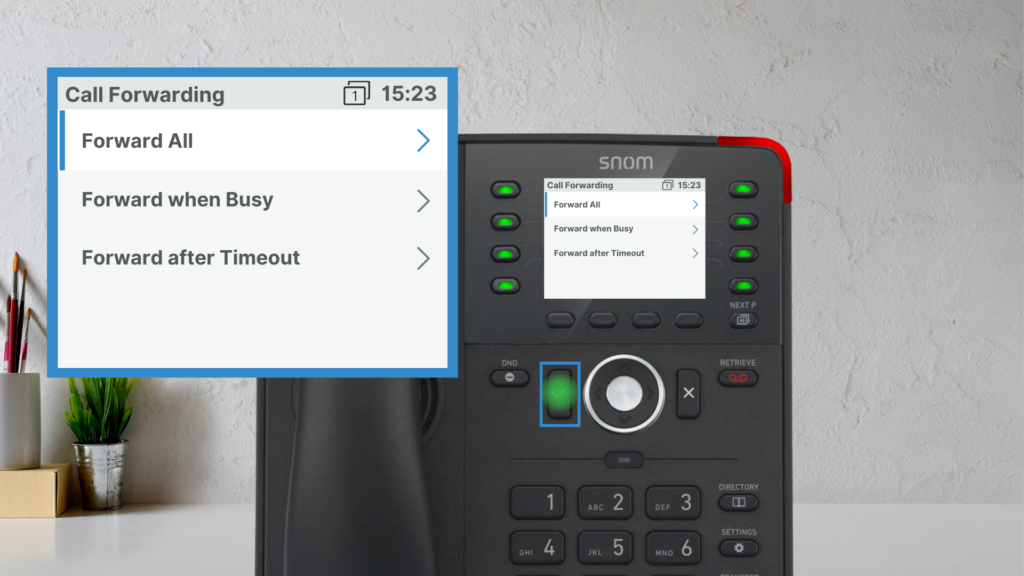
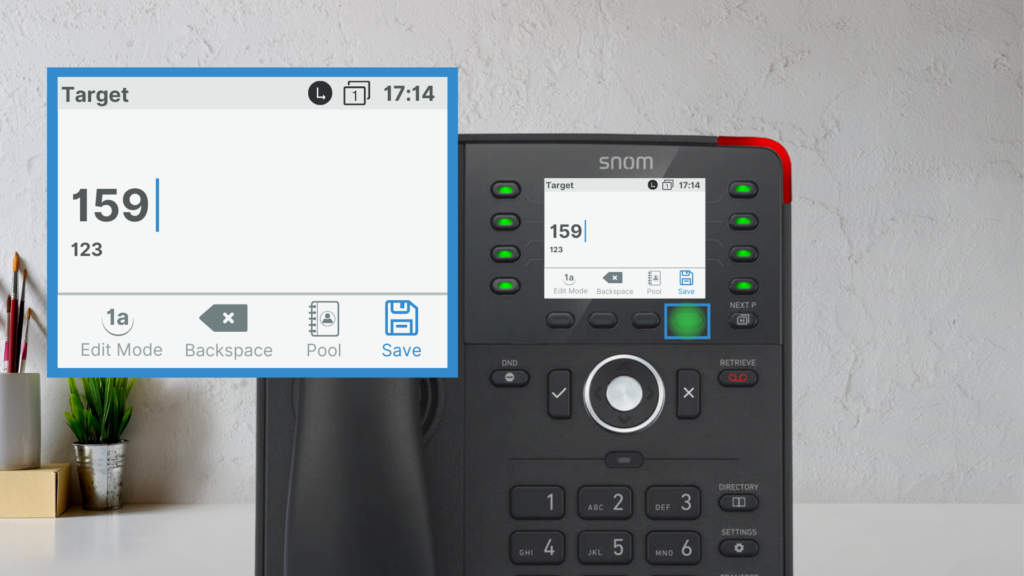
3. Enable forwarding, enter the number, and Save.
4. A Call Forwarding icon will appear when active.
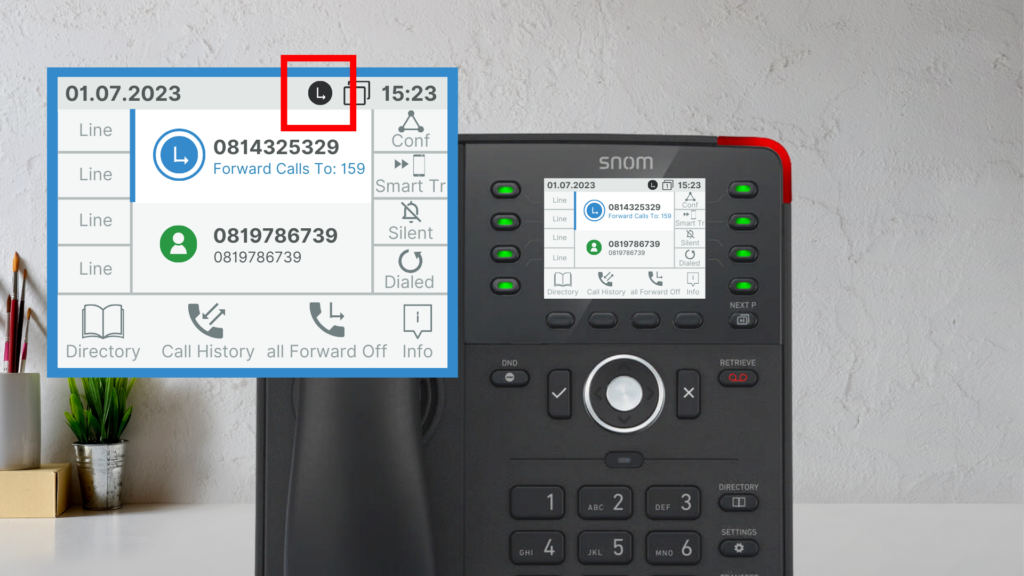
To disable Call Forwarding
1. Repeat the above steps and turn it off.